

Today churches both big and small are busy, on-the-move, and still hoping to be the calm in this world of chaos. Managing the church's membership, contributions, and financial data shouldn't be chaos. There are some simple steps to thing through to make sure the processes you have in place will make the most of your software.
Whether managing membership, tracking donations, scheduling events, or maintaining communication, the right software can make these tasks more efficient and less time-consuming. Here’s a step-by-step guide to help church administrators leverage software effectively to improve church administration.
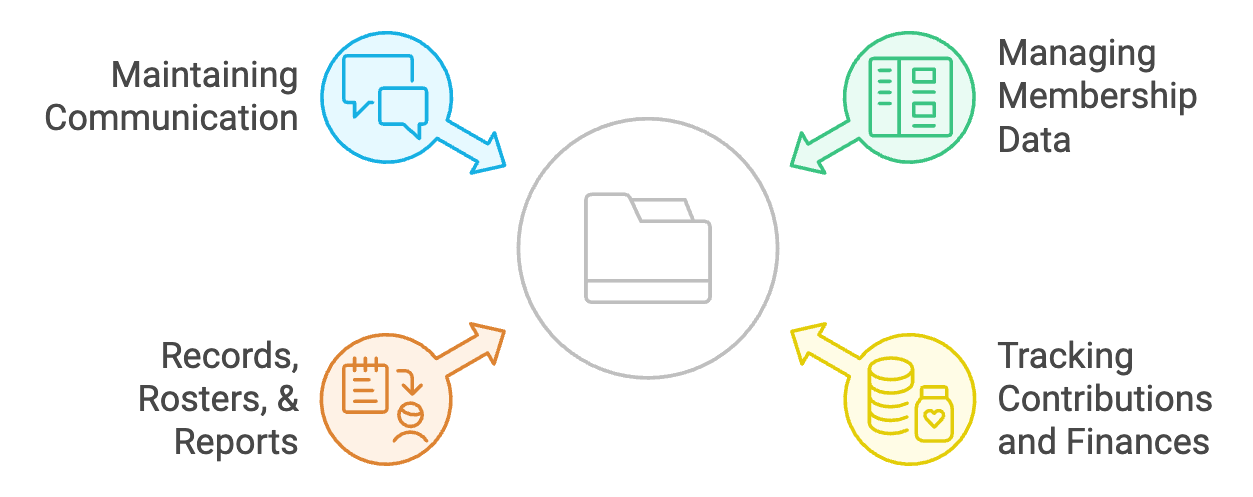
1. Assess Your Church’s Needs
Before diving into any software solution, it’s crucial to assess the specific needs of your church. Ask yourself:
- What administrative tasks are currently the most time-consuming?
- Where are the bottlenecks in our current processes?
- How can we improve communication within our congregation?
For example, if tracking donations manually is a challenge, you might prioritize finding software that streamlines this process. By clearly identifying the areas where your church needs support, you’ll be better equipped to select a solution that addresses those pain points.
2. Research and Select the Right Software
With a clear understanding of your church’s needs, the next step is researching software options. Here are a few key features to look for:
- User-friendly Interface: Ensure the software is easy for all staff members to use, regardless of their tech-savviness.
- Comprehensive Functionality: The software should cover multiple aspects of church administration, such as membership management, financial tracking, and event scheduling.
- Scalability: Choose a solution that can grow with your church as your congregation expands.
- Support and Training: Opt for software that offers robust customer support and training resources to help your staff get up to speed quickly.
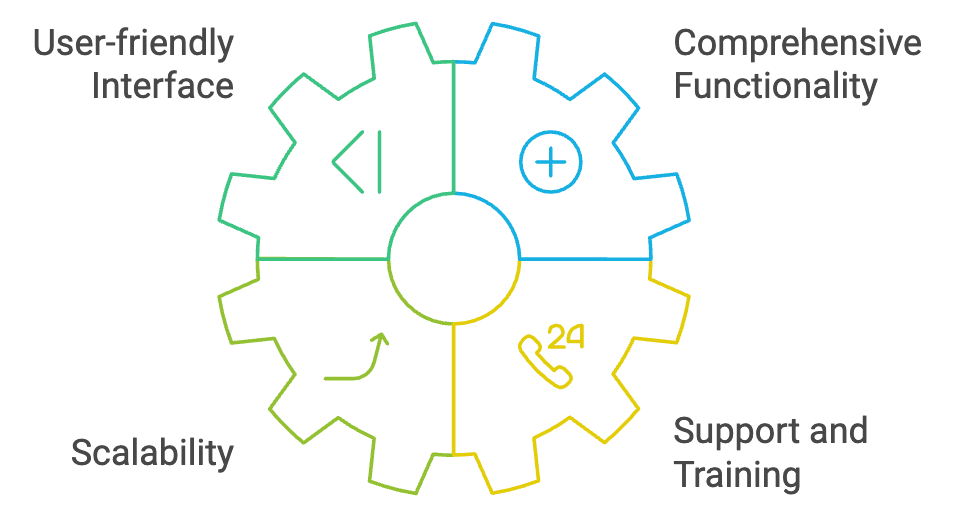
Popular church management software (ChMS) options like PowerChurch Plus offer a wide range of features designed to support the unique needs of churches. Take the time to explore demos and reviews to find the best fit for your congregation.
3. Implement the Software with a Plan
Once you’ve selected the right software, it’s time to implement it. A successful implementation requires careful planning. Here’s how to approach it:
- Set Clear Goals: Define what you hope to achieve with the new software. Whether it’s improving record-keeping accuracy or reducing administrative workload, clear goals will guide your implementation process.
- Assign Roles: Identify who will be responsible for different aspects of the software’s setup and ongoing management. This could include data entry, training, and troubleshooting.
- Conduct Training: Ensure that all relevant staff members receive proper training on how to use the software. Many ChMS providers offer training sessions or online resources to help with this.
- Start Small: Implement the software in stages, starting with one or two key functions. This gradual approach allows your team to adjust and reduces the risk of overwhelming them with too many changes at once.
4. Integrate and Customize
After the initial setup, it’s time to customize the software to meet your church’s specific needs. Many church management systems offer customization options, allowing you to tailor features like reporting, communication templates, and data fields to your preferences. Integration with other tools your church uses, such as accounting software or email marketing platforms, is also crucial. Streamlining these systems ensures that data flows smoothly between them, reducing the need for manual input and minimizing errors.
For PowerChurch Software products, that might mean setting up a means to import your online giving data or create segmented lists to email to. Maybe you've seen the need to track a specific shepherding ministry that you haven't setup custom fields for. Integrating and customizing can refer to multiple platforms, but sometimes you just need to make sure that your in-person processes match your digital processes. 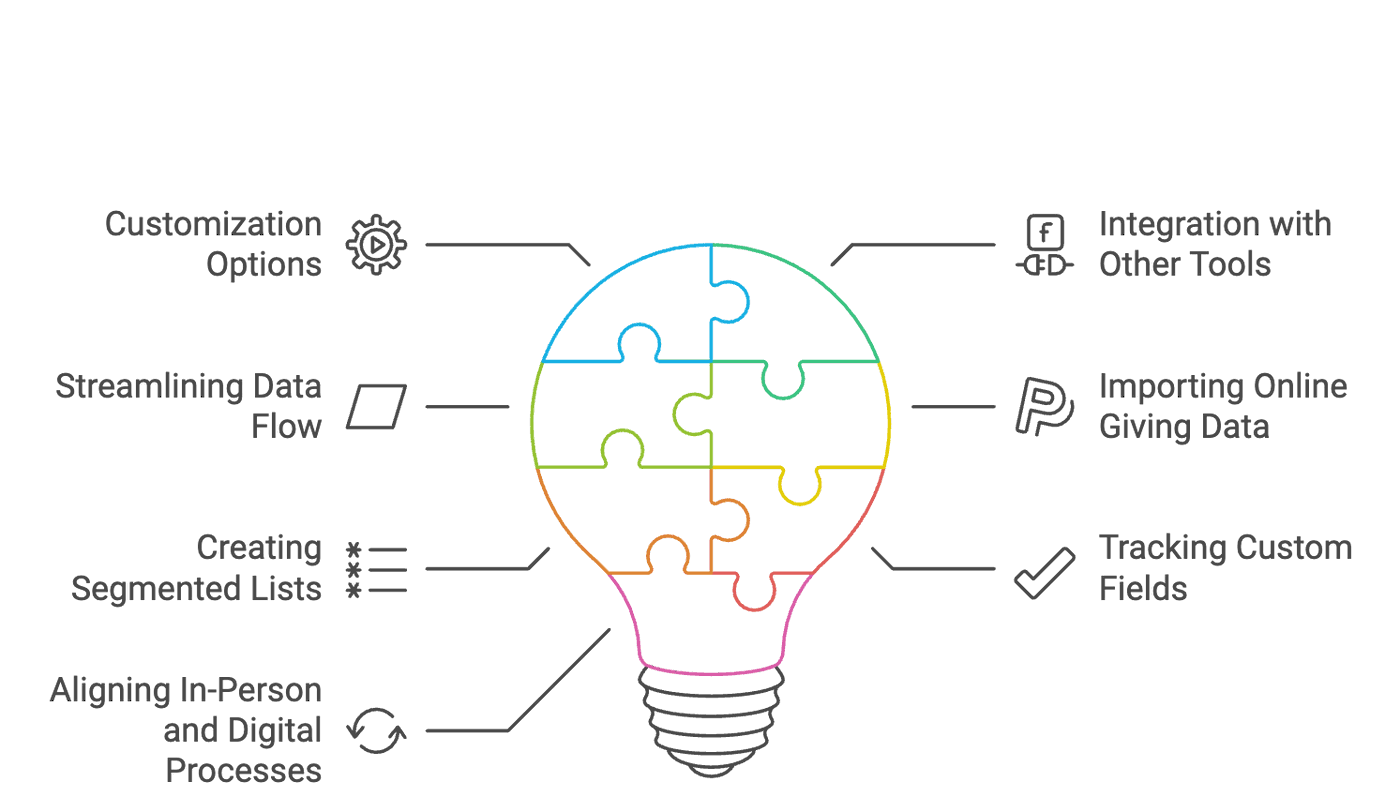
5. Continuous Improvement
Finally, embrace a mindset of continuous improvement. This is one of our favorite terms in the software-world, but it's not-unlike spiritual development too. Like growing in your walk or spiritual disciplines, church administration is an ongoing process, and as your church grows and changes, your administrative needs will evolve. Regularly revisit your software setup and consider whether additional training, customization, or even a different solution might better serve your congregation.
Conclusion
Effective church administration is critical to the health and growth of any congregation. By carefully selecting, implementing, and managing the right software solution, you can streamline your operations, freeing up more time for ministry and community engagement. Remember that the journey doesn’t end with implementation; continuous evaluation and improvement are key to ensuring your church’s administrative processes remain efficient and effective for years to come.